Launching a mac menu bar to keep you productive
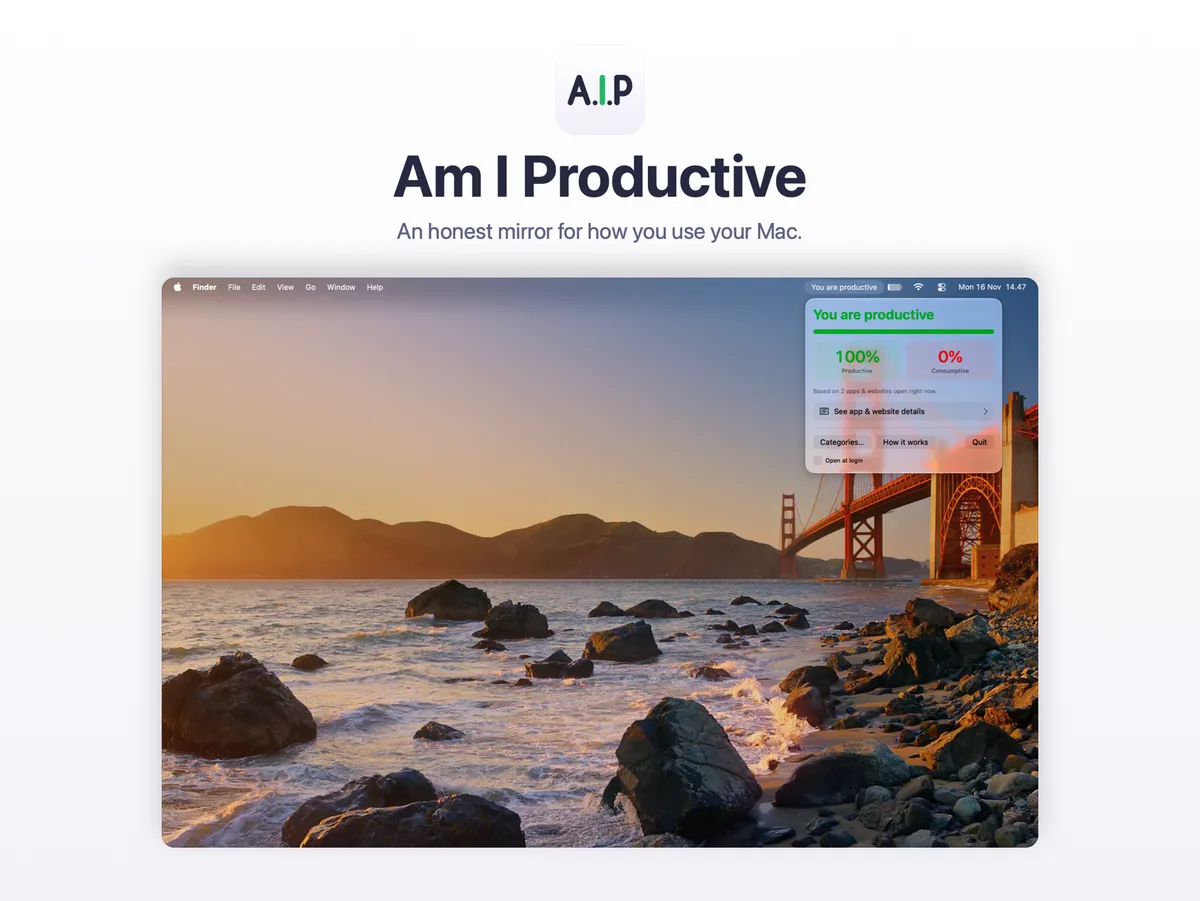
I spend most of my working day in front of a laptop. Some of those hours go into real work. Others quietly disappear into one more video, one more feed, one more tab that I opened “for a second”. The strange part was that I rarely knew which kind of day I was having until it was already over.
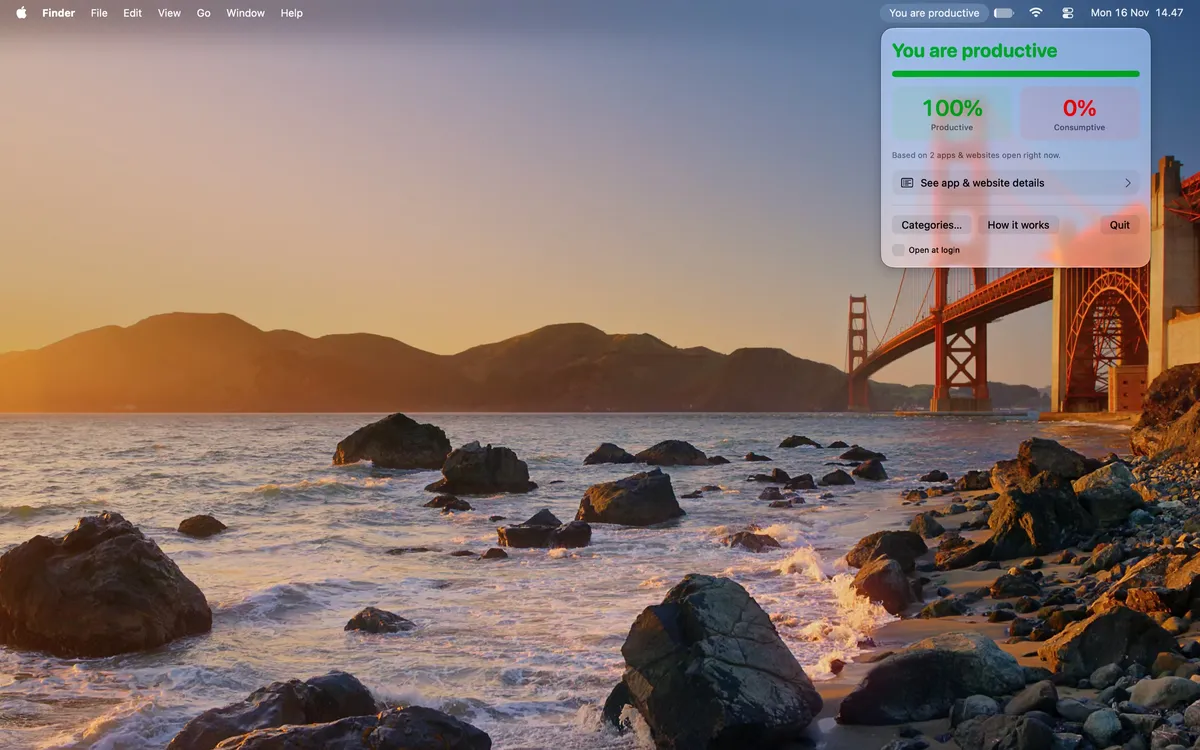
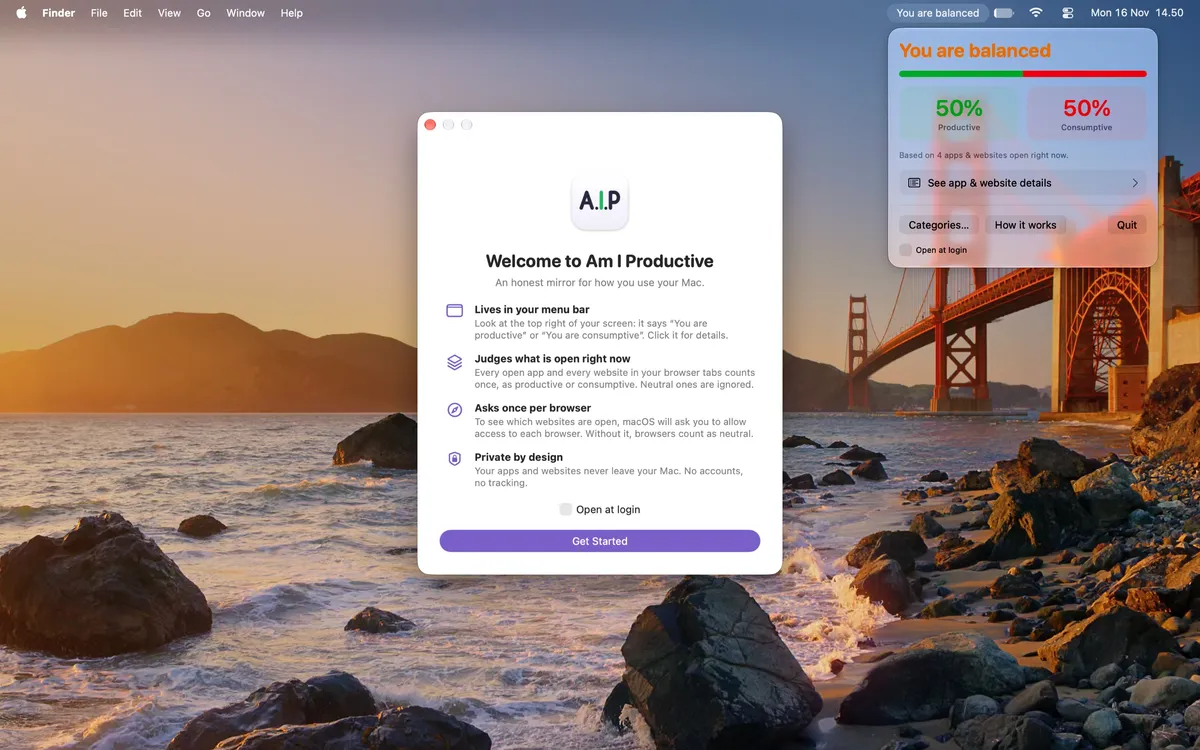
So I built a small tool for myself. It sits in the Mac menu bar and answers one question, all day long, in plain words: “You are productive” or “You are consumptive”. When the two sides are equal, it says “You are balanced”.
This blog post explains why I think that question matters, what changed after I lived with the answer for a week, and how the app keeps everything private.
Why focus is so hard on a screen
Digital work is full of small pulls on our attention. Research helps explain why they cost us more than they seem to.
Our devices drain attention even when we ignore them. In two experiments, Ward and colleagues (2017) found that the mere presence of your own smartphone reduces the cognitive capacity you have available. This happened even when people successfully resisted checking the phone, and the cost was highest for people who depend on their phones the most.
Doomscrolling is a habit, and it travels with other habits. Sharma, Lee and Johnson (2022) developed a scale to measure doomscrolling, the habit of persistently consuming negative news in social media feeds. They found it closely linked with problematic internet and social media use and fear of missing out. It was also linked with passive, habitual media use, anxiety and poor self-control.
Less social media can mean better well-being. In an experiment with 143 students, Hunt and colleagues (2018) asked one group to limit Facebook, Instagram and Snapchat to 10 minutes per platform per day for three weeks. That group reported significantly less loneliness and depression than the group who used social media as usual. Both groups also reported less anxiety and fear of missing out, which the authors suggest reflects a benefit of simply monitoring your own use.
Honest feedback can change how we work. Kim and colleagues (2016) built TimeAware, a tool that shows people how they use their computer, and studied it with 24 people for eight weeks. Only the people whose feedback highlighted their distracting activities improved their productivity. A small, always-visible widget also seemed to help them stay aware of their own behavior.
Put together, these studies point to one simple idea. Distraction is often invisible while it happens, and seeing it clearly is a good first step toward changing it. That is the whole idea behind Am I Productive.
What a week with it changed for me
I used the first version every day for a week before deciding to share it. A few things changed.
- I became aware of how I actually use my laptop. Not in a report at the end of the month, but right now, in the corner of my screen.
- My attention came back to me. One glance at the menu bar was often enough to notice where my focus had drifted.
- My work felt more directed. Knowing which open apps and tabs were pulling me away made it easier to close them and return to the task.
- “Productive” became a small daily boost. Seeing it in the menu bar honestly made me want to keep going.
- “Consumptive” stings, in a useful way. It is a gentle nudge, not a punishment, and it usually comes right when I need it.
The app is not a timer, a blocker or a guilt dashboard. It does not stop you from doing anything. It just tells you the truth about this moment, and leaves the decision to you. Your time is valuable. This is a small way to spend more of it on what you actually care about.
How it works
- Every open app counts once. Writing, coding, research and office apps count as productive. Games, social media and streaming count as consumptive.
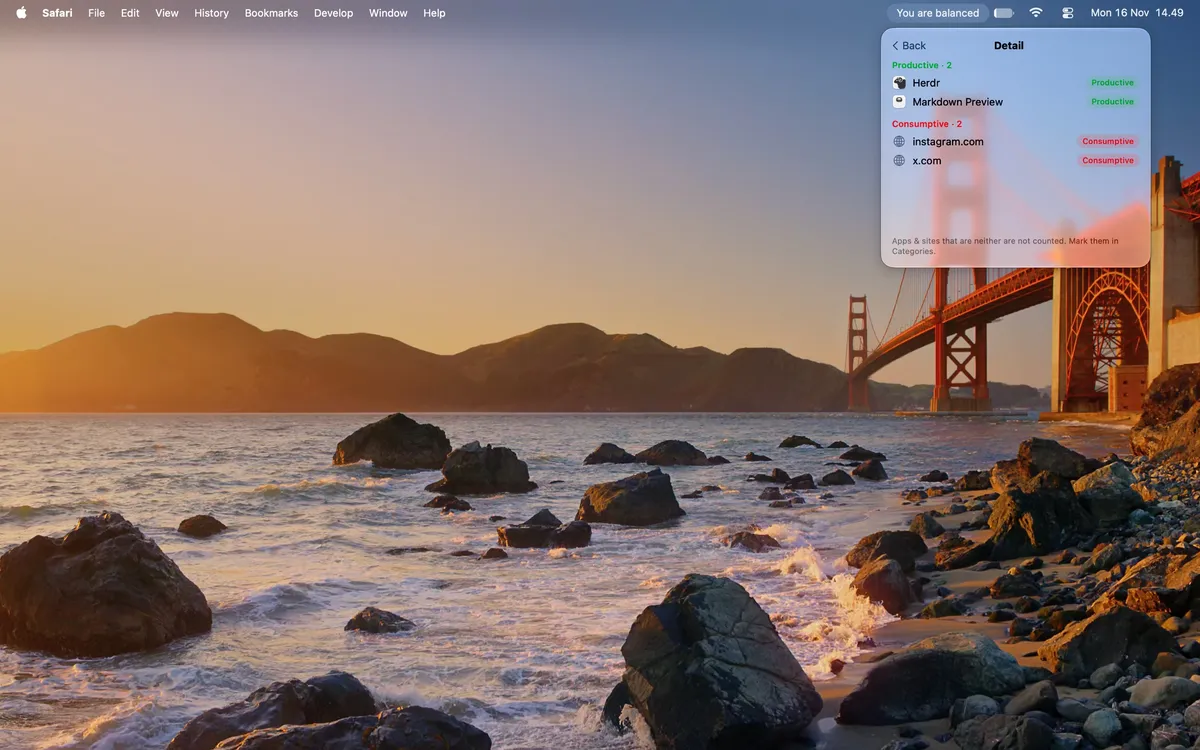
- Every website open in your browser tabs counts once. Ten tabs of the same site still count as one, so a pile of tabs never decides for you.
- Neutral apps and sites, like Finder or a search page, are simply ignored.
- Click the menu bar text to see your percentages, then open the details to see exactly which apps and websites tipped the balance.
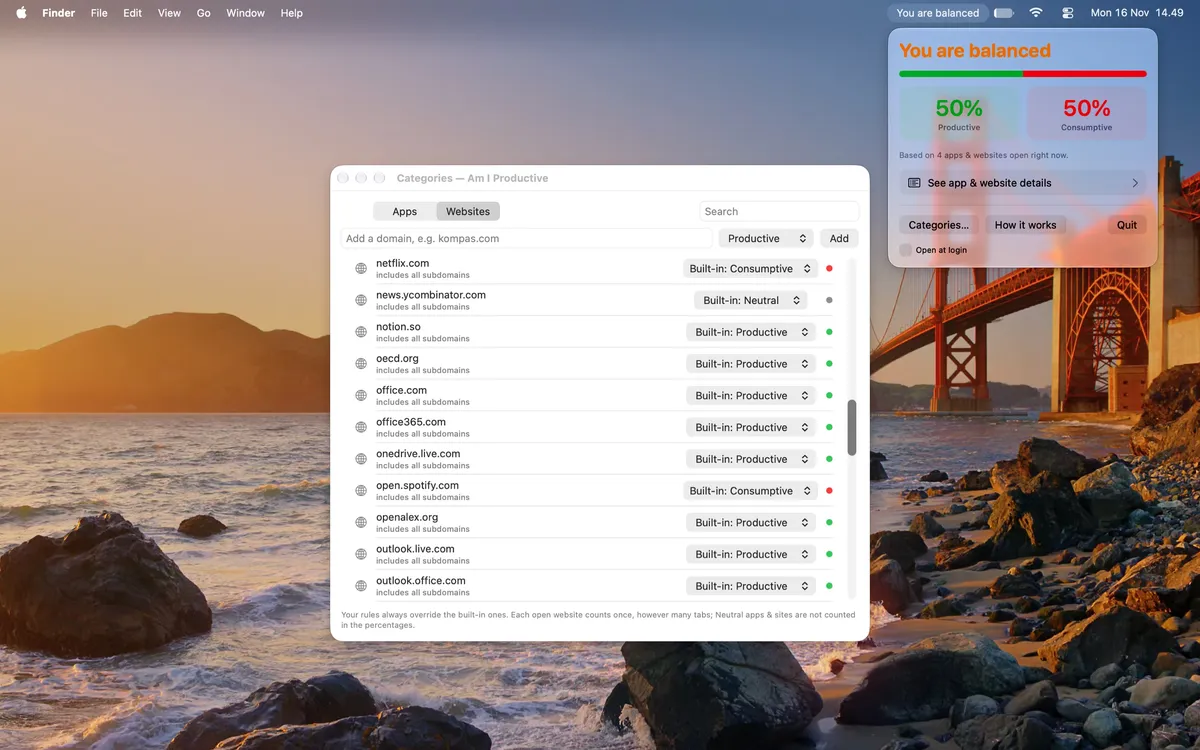
- Disagree with a label? Click it and change it, or set your own rules in Categories. Your rules always win.
What is under the hood, and why it stays private
An app that looks at your open apps and browser tabs has to earn your trust. Here is how it is built, in plain terms.
- A small native Mac app. It is written in Swift and SwiftUI, Apple's own tools for Mac apps. It runs only on your Mac.
- No servers, no account. There is no cloud service behind it and nothing to sign up for. The app does its work entirely on your Mac.
- It only reads what it needs. macOS tells the app which apps are open. For browsers, the app asks your browser for the addresses of open tabs, using the standard Automation permission that macOS asks you to approve once per browser. Each address is reduced to its domain, for example
youtube.com, to look up a category, and is then discarded. - Nothing is stored or sent. The app does not keep a history of your apps or websites. The only thing it saves is your own category rules, inside the app's private, sandboxed folder on your Mac.
- App Sandbox. The app runs inside Apple's App Sandbox, which limits what it can access to what it needs.
- Light on your Mac. It does not poll in the background. It updates only when something changes, such as when you switch or open apps.
- The one network request. The version sold on this page checks its license key with Lemon Squeezy, our payment provider, when you activate it and about once a week after that. That request contains only your license key and a generic label such as “Mac (macOS 15.1)”. Nothing about your apps, websites or usage is ever included.
Get Am I Productive
If you would like an honest mirror in your own menu bar, you can get it here.
Buy Am I Productive for $17 → —-
Sources
- Hunt, M. G., Marx, R., Lipson, C., & Young, J. (2018). No more FOMO: Limiting social media decreases loneliness and depression. Journal of Social and Clinical Psychology, 37(10), 751–768. https://doi.org/10.1521/jscp.2018.37.10.751
- Kim, Y., Jeon, J. H., Choe, E. K., Lee, B., Kim, K., & Seo, J. (2016). TimeAware: Leveraging framing effects to enhance personal productivity. Proceedings of the 2016 CHI Conference on Human Factors in Computing Systems, 272–283. https://doi.org/10.1145/2858036.2858428
- Sharma, B., Lee, S. S., & Johnson, B. K. (2022). The dark at the end of the tunnel: Doomscrolling on social media newsfeeds. Technology, Mind, and Behavior, 3(1), 144–156. https://doi.org/10.1037/tmb0000059
- Ward, A. F., Duke, K. E., Gneezy, A., & Bos, M. W. (2017). Brain drain: The mere presence of one's own smartphone reduces available cognitive capacity. Journal of the Association for Consumer Research, 2(2), 140–154. https://doi.org/10.1086/691462